
Xilisoft DVD Copy for Mac
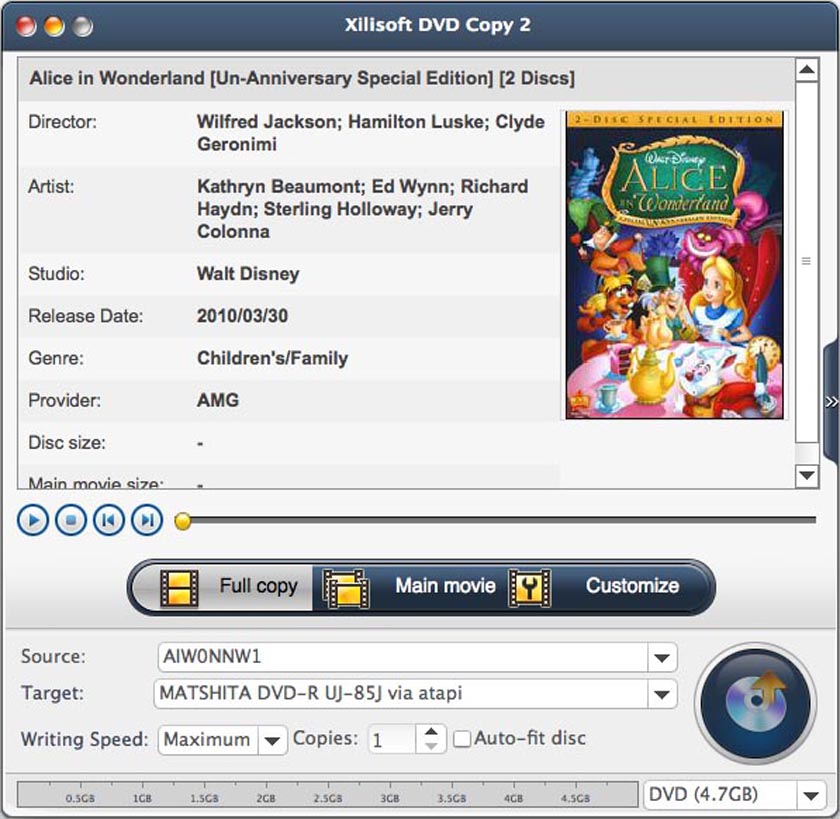
Xilisoft DVD Copy for Mac is an ideal Home DVD copy and back up program which can duplicate your Home DVD movies to another blank disc and backup Home DVD movies as ISO file or Home DVD folder to your Mac in just a few simple clicks.
Copy Home DVD movies in 1:1 ratio, copy the full disc, main movie or the titiles you like, burn quality Home DVD discs from Home DVD folder or ISO file, select different subtitles, audio tracks and angles and many other features to make you output personalized Home DVD discs or files. This Mac DVD-copy software can clone DVDs on Mac OS while maintaining the same audio and video quality with the original files’.
- Copy Home DVD discs to another blank Home DVD disc
- Copy Home DVD movie to ISO image or Home DVD folder
- Burn ISO image or Home DVD folder to Home DVD disc


Safe Download 100% Virus Free

Secure Online Payment

30 Days Money Back Guarantee

Free Customer Service
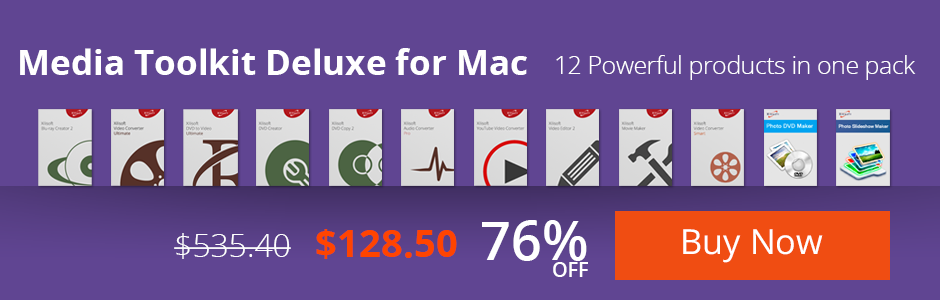
Customers Also Choose:
Xilisoft DVD to Video Ultimate for Mac
Convert DVD to 160+ videos/audios on Mac. Convert DVDs to be playable on any mobile phones and tablets. Merge/clip/split videos, add effects, subtitle, etc.
Xilisoft Video Converter Ultimate for Mac
Convert common and HD/3D videos in 160+ formats on Mac. Merge, clip and split videos, add video effects, watermark, subtitle, soundtrack, etc.


- Copy DVD to DVD disc
Perfectly copy DVD-9 to DVD-9, DVD-5 to DVD-5 in 1:1 ratio with all the menus, extras, subtitles, audio tracks. - Backup DVD to your Mac
No blank disc at hand? Try to copy DVD discs to ISO image files or DVD folders and backup them on your Mac. - Burn DVD from ISO image
Burn ISO file or DVD folder to DVD discs for watching on your DVD player. Sit back, and share the fascinating DVD movies with your family and friends.

- Copy full disc or main movie only
Custom Copy is supported which enables you to either copy the whole DVD with all the special features, intros, trailer and ads, or main movie only to maximize disc space usage, all up to you! - High compatibility
This Mac DVD copy software works pretty well with DVD+-R/RW, DVD-RAM, most DVD players and burners, and Dual Layer 8.5GB disc. - More individualizations
Audio tracks, subtitles, whether skip menu, are all optional to assist you to create a backup copy of your own.

- Erase rewritable disc
Breezily erase your rewritable disc for rewriting old movies, no additional tools needed. - Simple to use
Mac DVD copy is as easy as 1-2-3: select source, select target and start copy. - Preview video
Preview the DVD video before copying with built-in player. - Showing DVD information
You can view DVD information such as artist, studio, director, etc. - Multi-language and Multi-skin
Multiple languages and featured skins are available to personalize the appearance of the DVD copy Mac tool.
| Input File Format Support | |
| DVD-Video, DVD folder, ISO image file | |
| Output File Format Support | |
| DVD-Video, DVD folder, ISO image file |
| Processor | PowerPC® G4/G5 or Intel® processor |
| OS | 32 bit: Mac OS X v10.6 - 10.14(Mojave) 64 bit: Mac OS X v10.9 - macOS Sequoia (Version 15) |
| RAM | 512MB RAM |
| Free Hard Disk | 30MB free hard disk space for installation (10GB or more for temporary files) |
| Graphic Card | Super VGA (800x600) resolution, 16-bit graphics card or higher |
| Others | Recordable DVD drive |


